
Where Light Becomes Dreamy

Mist filters are an important part of any photographer's toolkit, and now you can get all the benefits of shooting with diffusion filters in post using Hazy for Lightroom. Soften any bright areas of your image, smooth uneven skin tones, and add a beautiful bloom effect using our filter presets.

Edited with HazyLightroom. Filter Style: Black Pro Mist
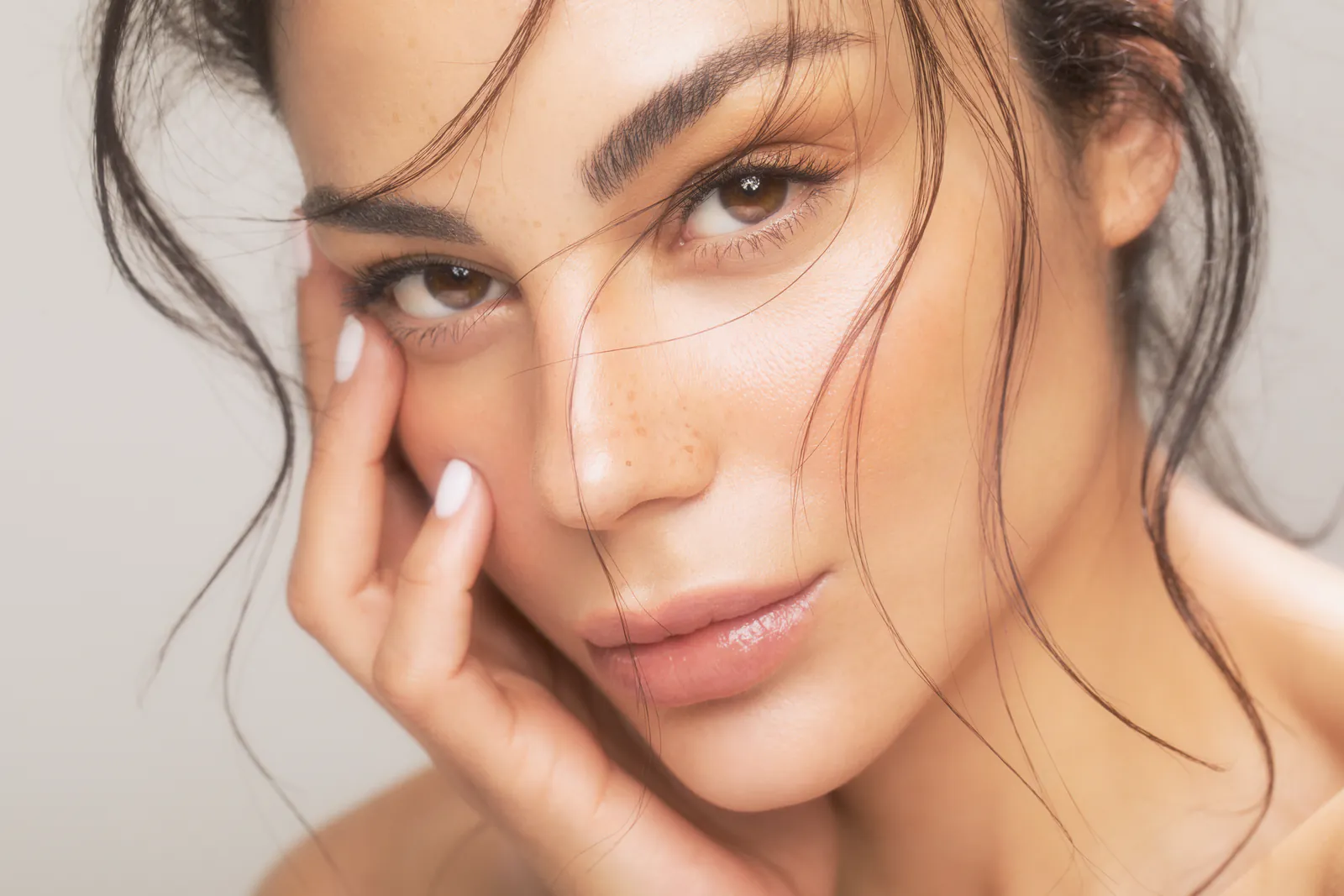
Edited with HazyLightroom. Filter Style: Black Pro Mist

Edited with HazyLightroom. Filter Style: Black Pro Mist

Edited with HazyLightroom. Filter Style: Black Pro Mist
What is Hazy?
Hazy for Lightroom is a plugin that adds bloom and diffusion effects to your photos. Built on the same optical simulation technology as our popular video plugin, Hazy for Lightroom brings the magic of diffusion filters to your Lightroom and Photoshop workflow. Choose from 11 presets based on real diffusion filter styles, then fine-tune with adjustable intensity, spread, and response controls.
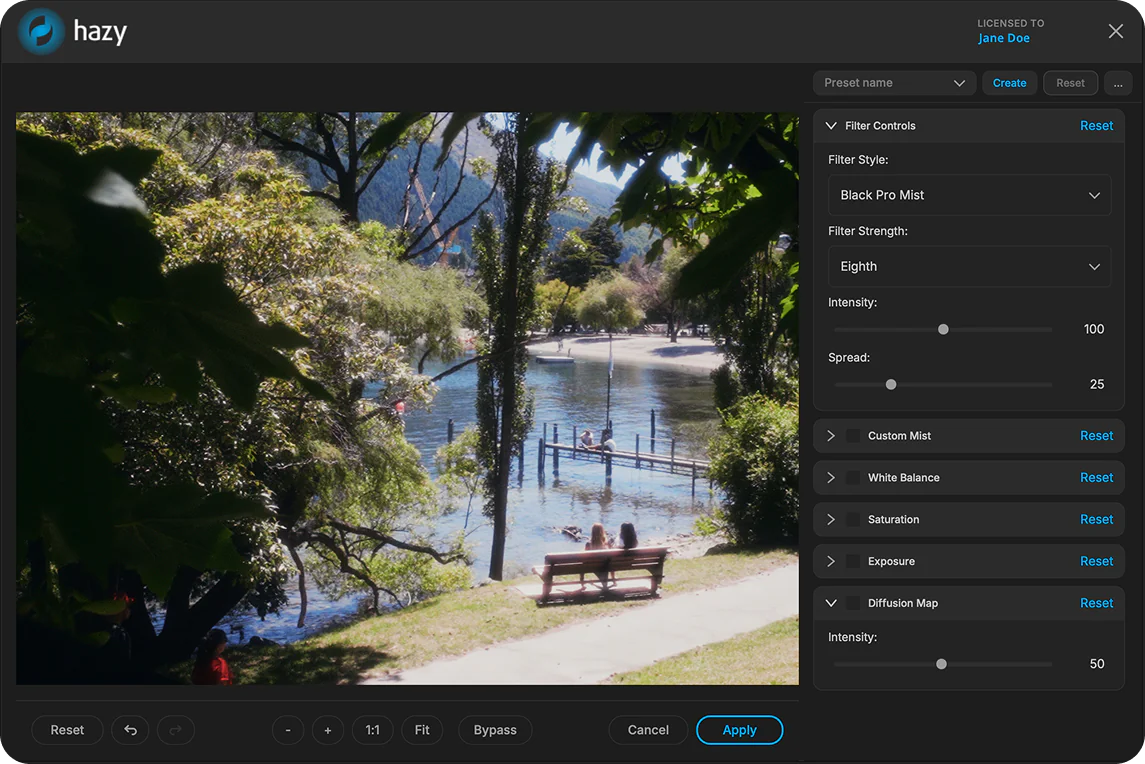
What you get
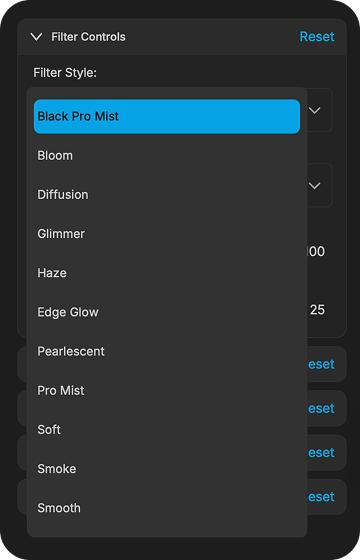
Choose from 11 presets inspired by real diffusion filters. From subtle skin smoothing to dramatic light bloom, each style gives your photo a distinct cinematic character.
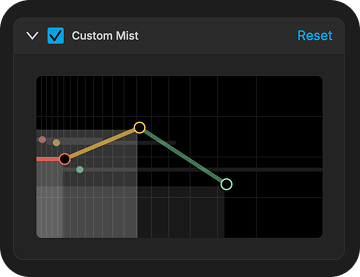
Control the rolloff of your effect with a customizable response graph that adapts to your chosen filter style. Carve out where the effect is most prominent to get exactly the look you're after.
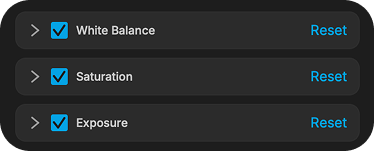
Fine-tune the color, vibrancy and brightness of your diffusion effect independently from the rest of your photo.
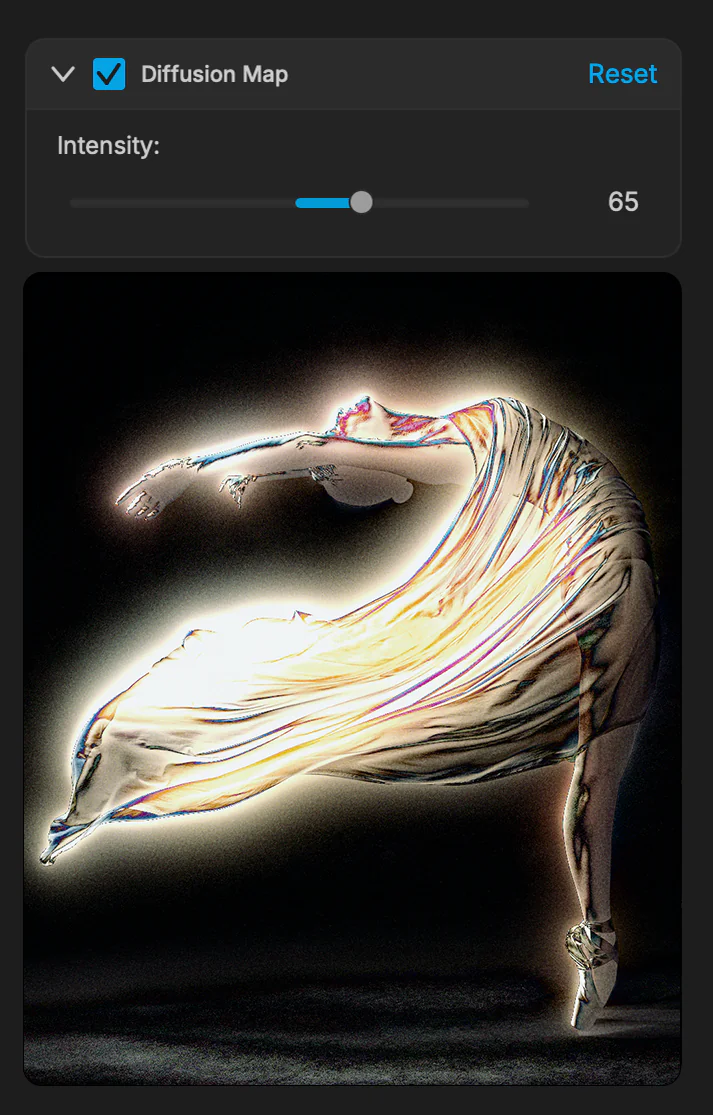
A visual overlay that shows exactly where the effect is being applied in your photo. Use it for precise, detailed control over your diffusion.
Works with
 Adobe Lightroom Classic
 Adobe Lightroom
 Adobe Photoshop
Made with Hazy

Edited with HazyLightroom. Filter Style: Black Pro Mist

Edited with HazyLightroom. Filter Style: Black Pro Mist

Edited with HazyLightroom. Filter Style: Black Pro Mist

Edited with HazyLightroom. Filter Style: Black Pro Mist

Edited with HazyLightroom. Filter Style: Black Pro Mist
From the FilmConvert Family
FilmConvert has been building professional plugins for filmmakers and videographers since 2011, with a focus on cinematic quality and ease of use. Our tools have helped thousands of creatives achieve a film-like look straight from their editing software. Now we are bringing that same quality and approach to photography with Hazy for Lightroom

Give your footage the rich, textured look of real film. Nitrate uses accurate film emulations to transform digital footage into something that feels organic and cinematic.

Match the colors from different cameras in just a few clicks. CineMatch makes footage from mixed camera setups look like it was all shot on the same camera.

Add the authentic red glow that appears around bright areas when shooting on film. Halation recreates one of the most distinctive and beloved characteristics of analog film.

Bring the magic of diffusion filters to your work. Hazy adds bloom, glow, and soft light diffusion to create a dreamy, cinematic quality in any image.
Powerful on their own. Even better together.
Frequently Asked Questions
Yes. You can download a free watermarked trial of Hazy for Lightroom and try it on your own photos. Purchasing a license removes the watermark and unlocks the full power of Hazy.
Each license of Hazy comes with three activation seats, meaning it can be used on up to three devices at once. You can manage your license and activations on your Account.
Hazy works with any photo you can open in Lightroom, Lightroom Classic or Photoshop, including RAW files. When you send a photo to Hazy, an editable copy with your Lightroom adjustments is created, edited in Hazy, and saved straight back into your catalog.
Yes. Hazy is applied as a separate editing step, so it works alongside your existing presets. Apply your preset in Lightroom first, then send the photo to Hazy to add diffusion on top of your look.
Presets adjust Lightroom's built-in sliders. Hazy is a dedicated plugin built on the same optical simulation technology as our video plugins, recreating the way real diffusion filters bloom and soften light — an effect slider adjustments can't reproduce. You keep full control over the filter style, intensity, spread and response.
Hazy works with Lightroom Classic, Lightroom CC and Photoshop, on both macOS and Windows.
No. Hazy is a one time purchase.
Make your project dreamy today!
Try Hazy for Lightroom today with our watermarked trial version, or purchase a license to get the full power of Hazy without limitations.